You're at the center. Orbit brings order.

Emails, meetings, tasks, notes — everything orbits around you. Orbit pulls it all together into one clear view, so you can focus on what matters.

You

Everything in its place

Stop context-switching between apps. Orbit captures what matters from everywhere and surfaces it when you need it.

Today Dashboard

Your daily command center

Task Management

Priorities, statuses, and filters

Time Blocking

Schedule your day visually

Projects

Milestones and task groups

Email Processing

Gmail sync with AI analysis

Calendar

Google Calendar integration

Meetings

AI transcription and summaries

CRM / Contacts

Track clients and companies

Insights

Productivity analytics

Integrations

Gmail, Calendar, Fireflies, Attio

Dashboard

Your daily command center

Start every day with a clear picture of what matters. The Today Dashboard brings together your tasks, calendar, time blocks, and mood check-in into one focused view.

  • See today's tasks, upcoming meetings, and time blocks at a glance
  • Track your mood and energy with daily check-ins
  • One-click auto-scheduling fills your day with prioritized work
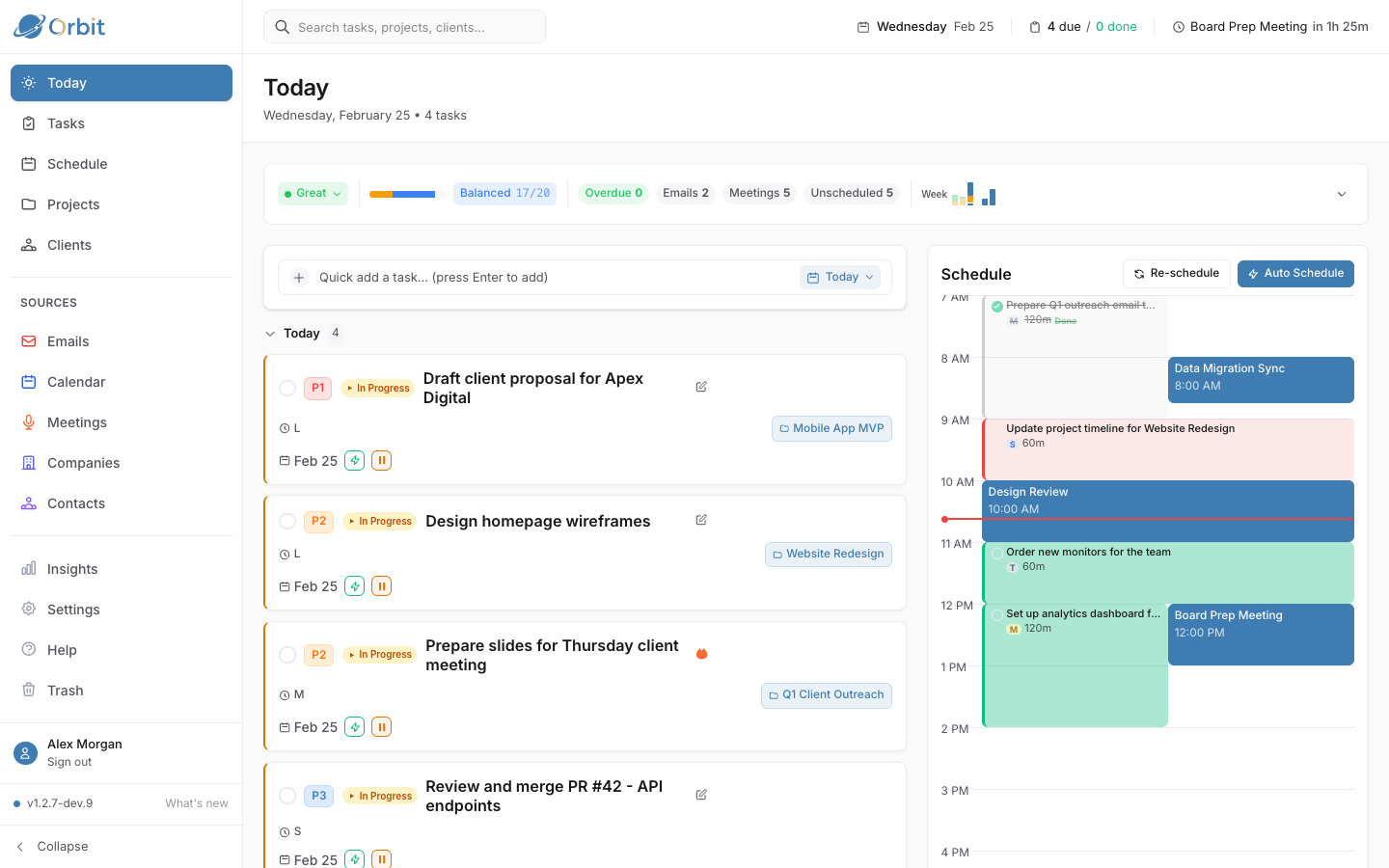
Today Dashboard showing tasks, calendar, and time blocks
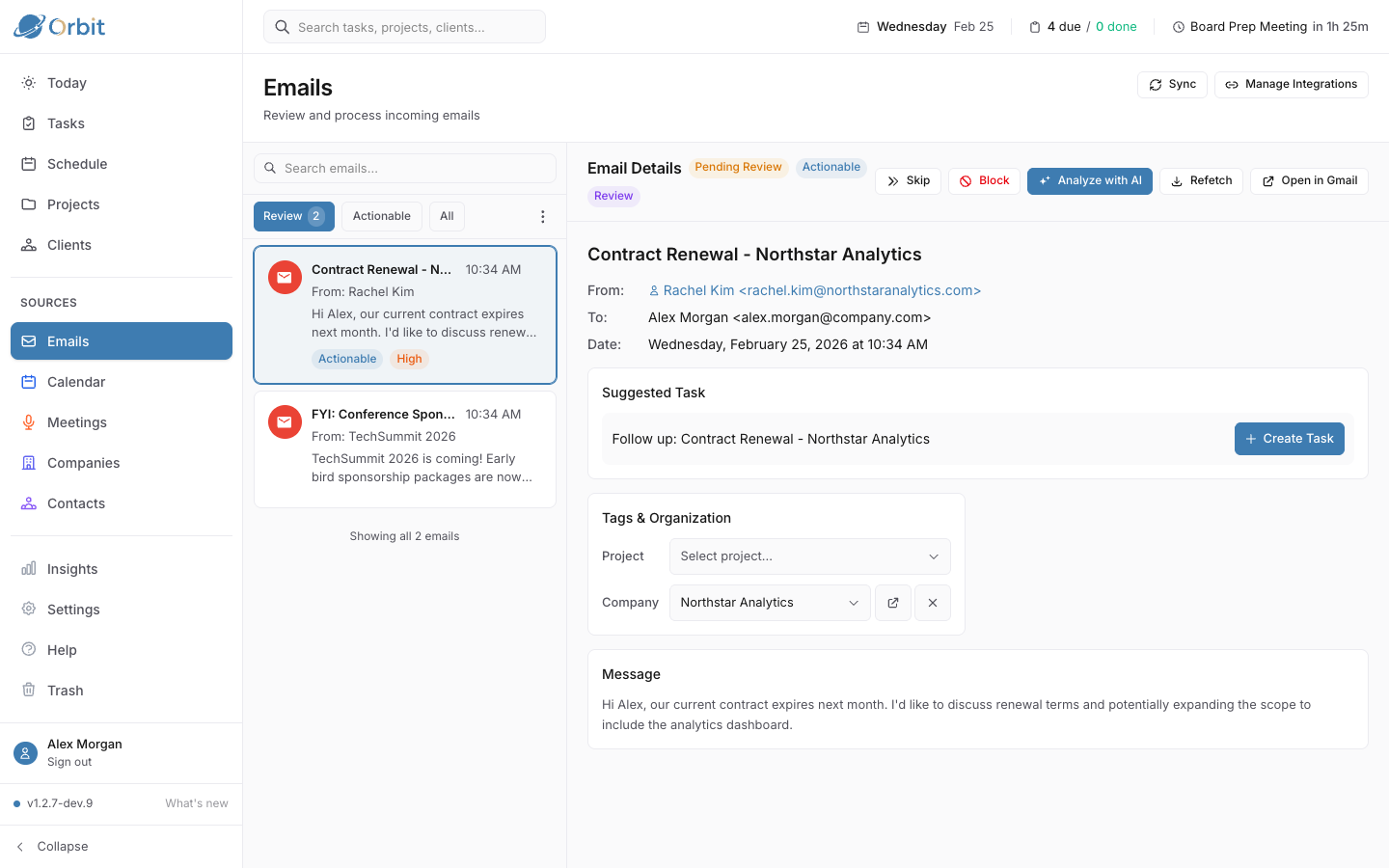
Email processing with AI analysis and meeting summaries
AI Intelligence

Emails and meetings, decoded

Orbit syncs your Gmail and meeting transcripts, then uses AI to extract what actually matters — action items, urgency levels, and suggested follow-ups.

  • AI analyzes emails to surface actionable items and urgency
  • Meeting transcripts automatically summarized with key takeaways
  • Convert action items to tasks with one click
Task Management

Tasks that work the way you do

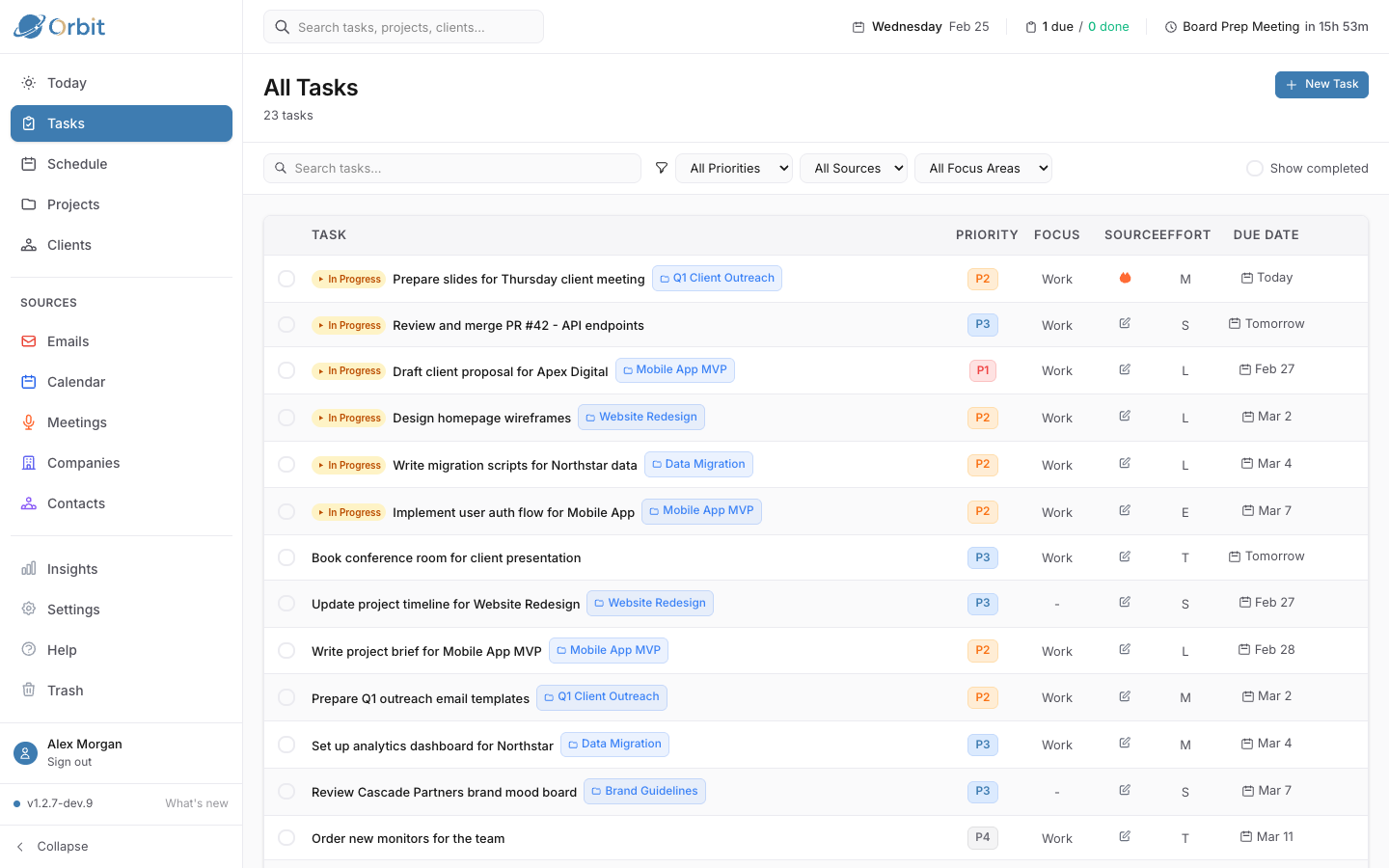
From quick inbox capture to structured projects, Orbit's task system adapts to your workflow. Filter, sort, and organize with priorities, effort estimates, and due dates.

  • GTD-style statuses: Inbox, Todo, In Progress, Done
  • Priority levels and effort estimates for realistic planning
  • Link tasks to projects, contacts, and companies
Task management with filters, priorities, and project grouping
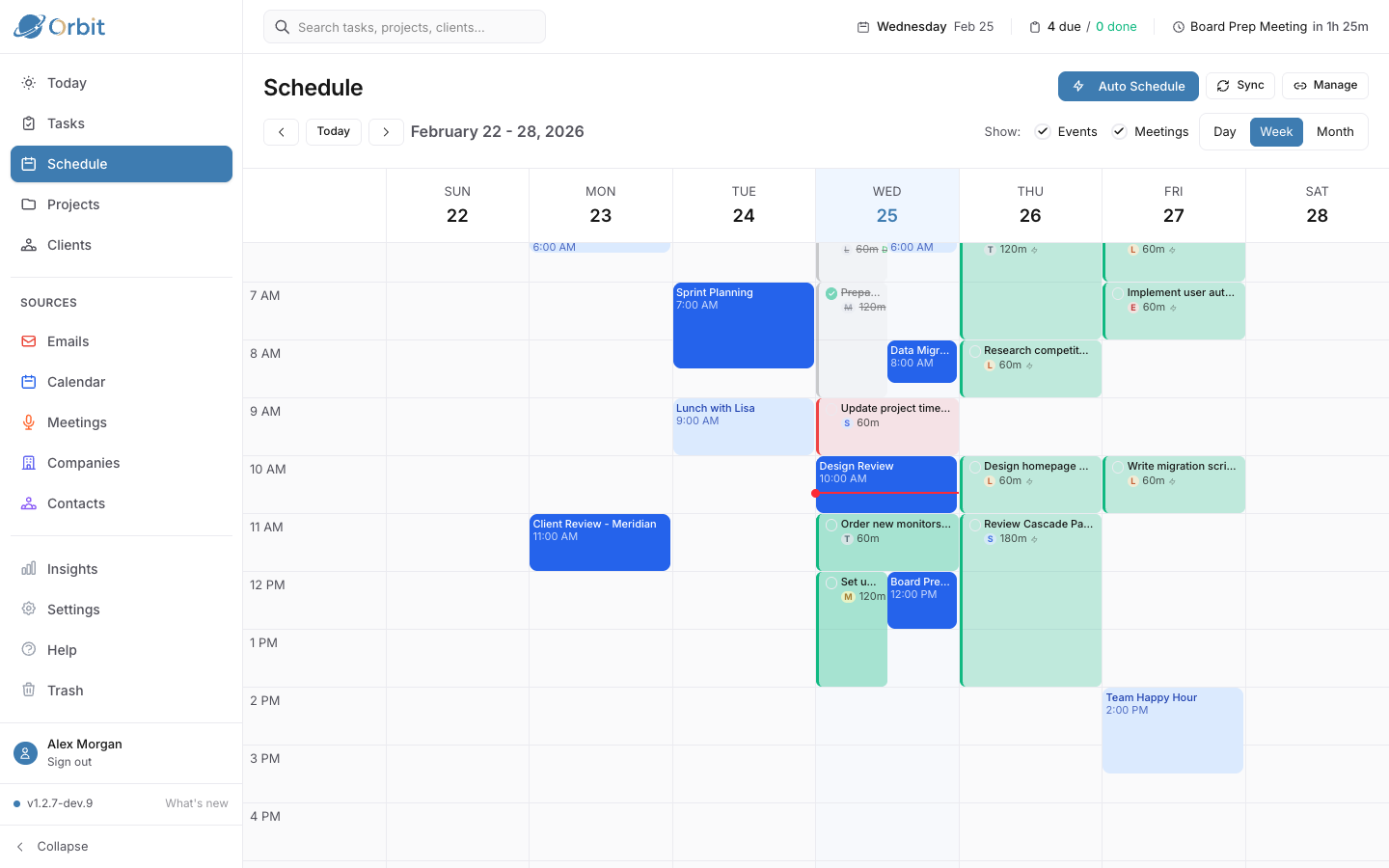
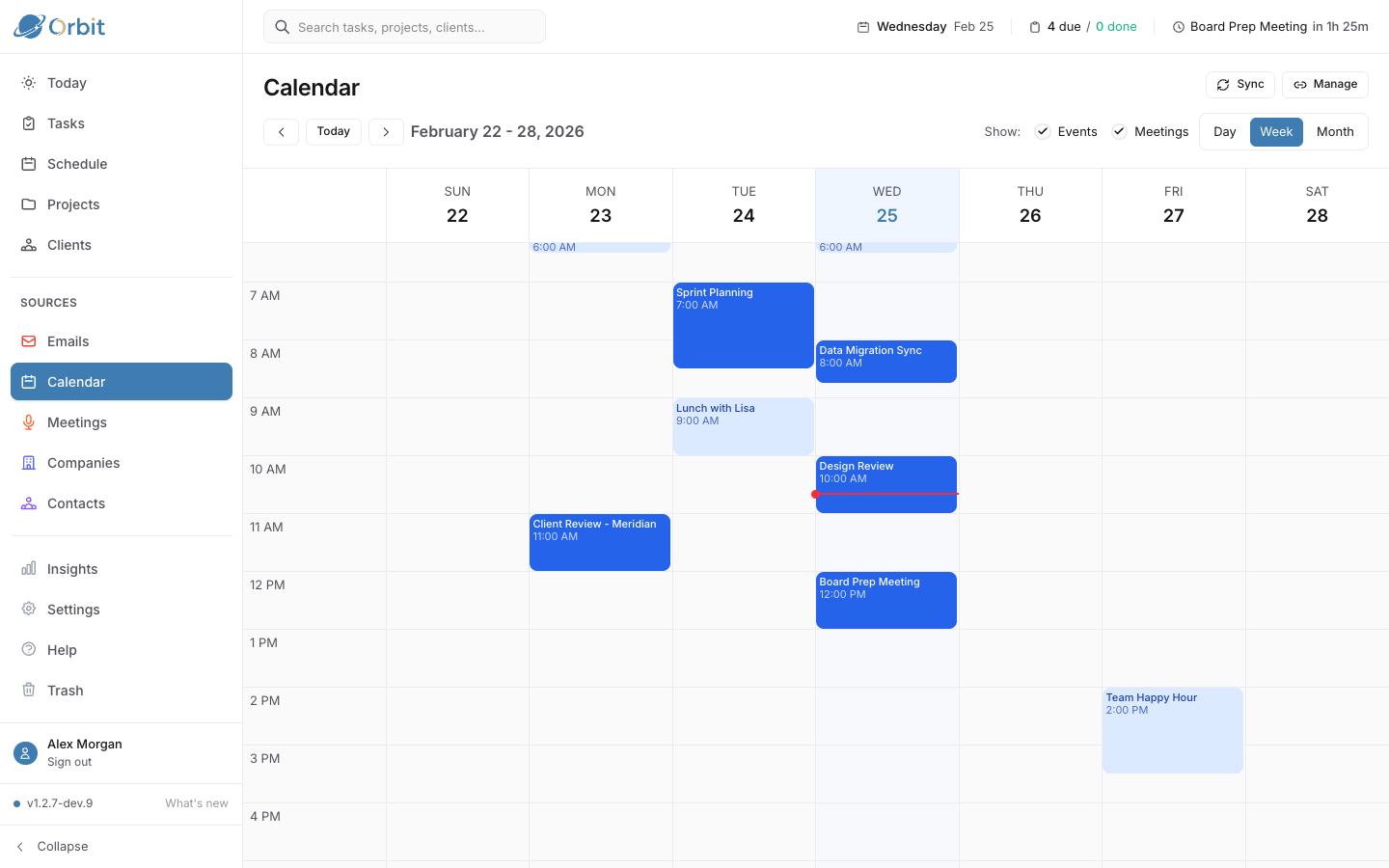
Weekly schedule with time blocks and calendar events
Time Blocking

Schedule your day, visually

Assign tasks to time slots and see your entire week laid out alongside calendar events. Auto-schedule fills gaps intelligently based on priority and effort.

  • Drag-and-drop time blocks alongside calendar events
  • Auto-schedule respects working hours and existing commitments
  • Mark blocks complete to track actual time spent
Projects

Projects with purpose

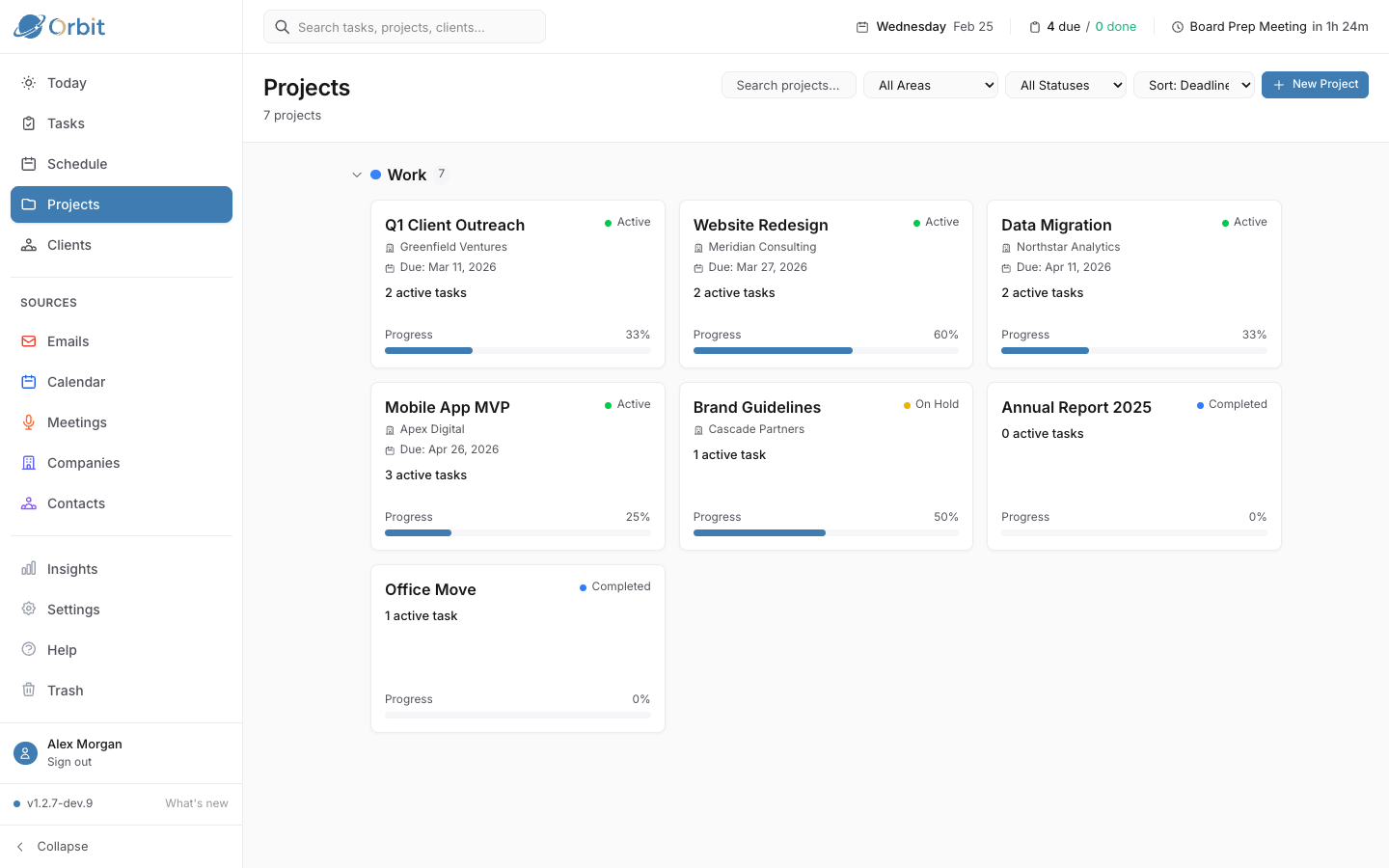
Group related tasks into projects with deadlines and status tracking. Link projects to clients, areas of focus, and team members for full context.

  • Active, On Hold, Completed, and Archived status tracking
  • See task progress and upcoming deadlines at a glance
  • Connect projects to companies and areas of responsibility
Projects page showing active projects with progress
Calendar view with synced Google Calendar events
Calendar

Your calendar, in context

Sync your Google Calendar and see events alongside linked contacts, companies, and meeting notes. Never walk into a meeting unprepared again.

  • Two-way Google Calendar sync keeps everything current
  • See attendee info and linked contacts at a glance
  • Weekly and daily views with event details
CRM

Know your people and clients

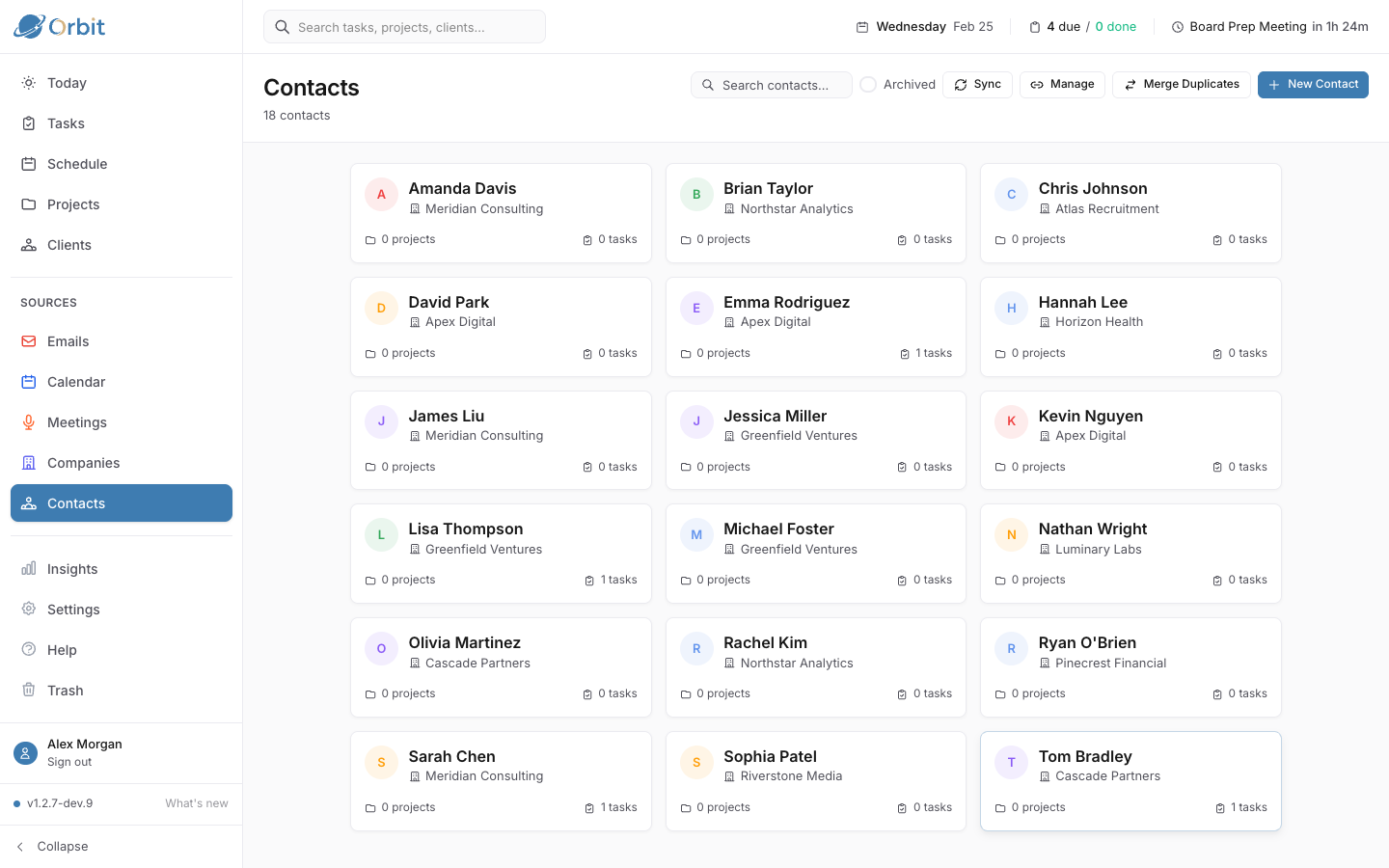
Orbit automatically builds your contact network from emails and meetings. See the full history of interactions, linked tasks, and company relationships.

  • Contacts auto-created from email and meeting participants
  • Company profiles with client flags and team members
  • Full interaction timeline: emails, meetings, tasks, projects
CRM showing contacts, companies, and interaction history
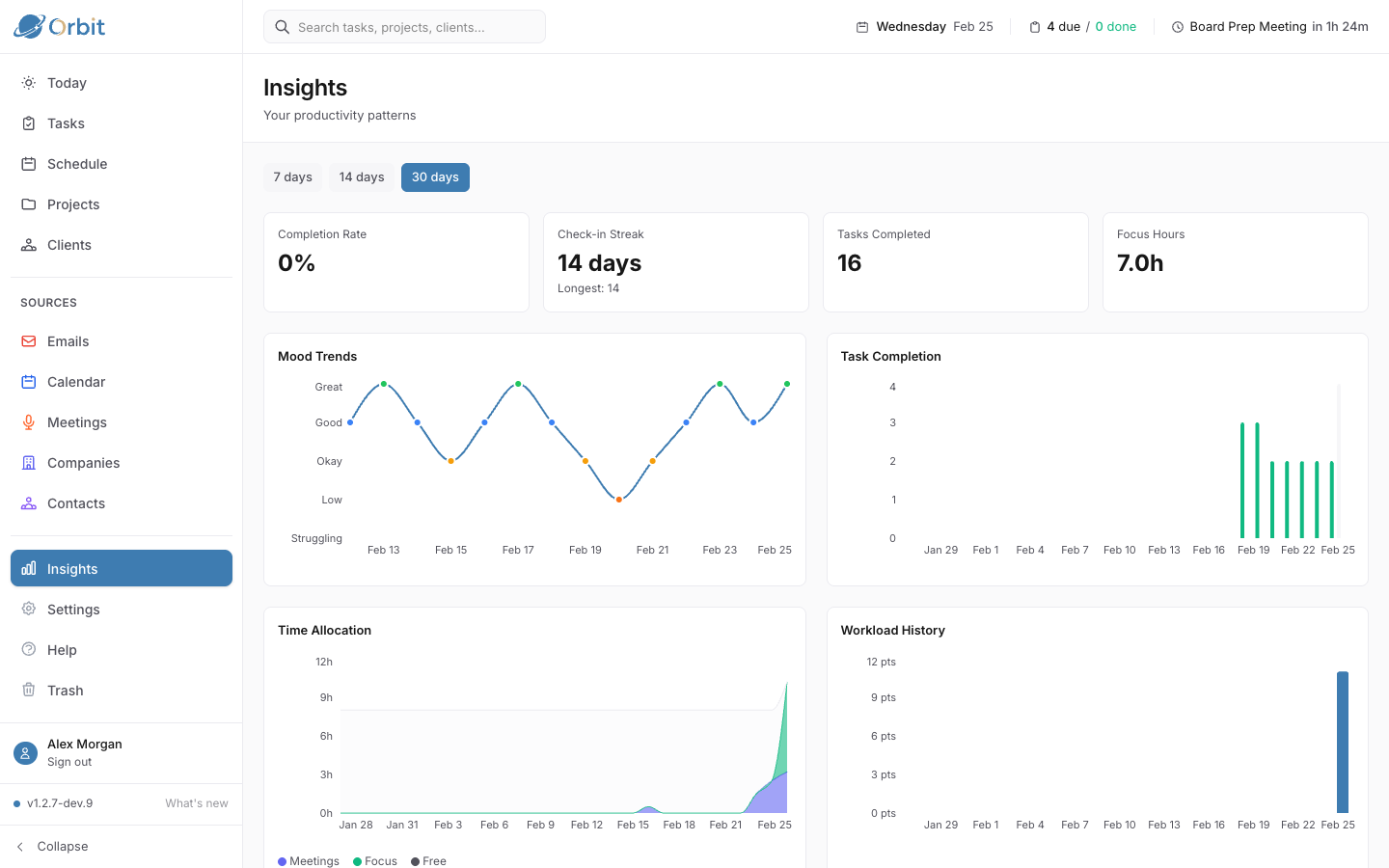
Productivity insights with charts and mood tracking
Insights

Understand your productivity

Track trends in task completion, time allocation, and mood patterns. Orbit helps you identify what's working and where to adjust.

  • Task completion trends and productivity streaks
  • Mood and energy tracking correlated with workload
  • Time allocation breakdown by project and area

Built on GTD principles

Getting Things Done isn't about doing more — it's about trusting your system so your mind is free to think.

1

Collect

Capture everything in one trusted place

2

Process

Decide what each item means and what to do

3

Organize

Put things where they belong

4

Do

Take action with confidence

Ready to take control?

Stop juggling apps. Start getting things done.

Get Started Free